 Postozo
Auto repost and recycle your best social media posts
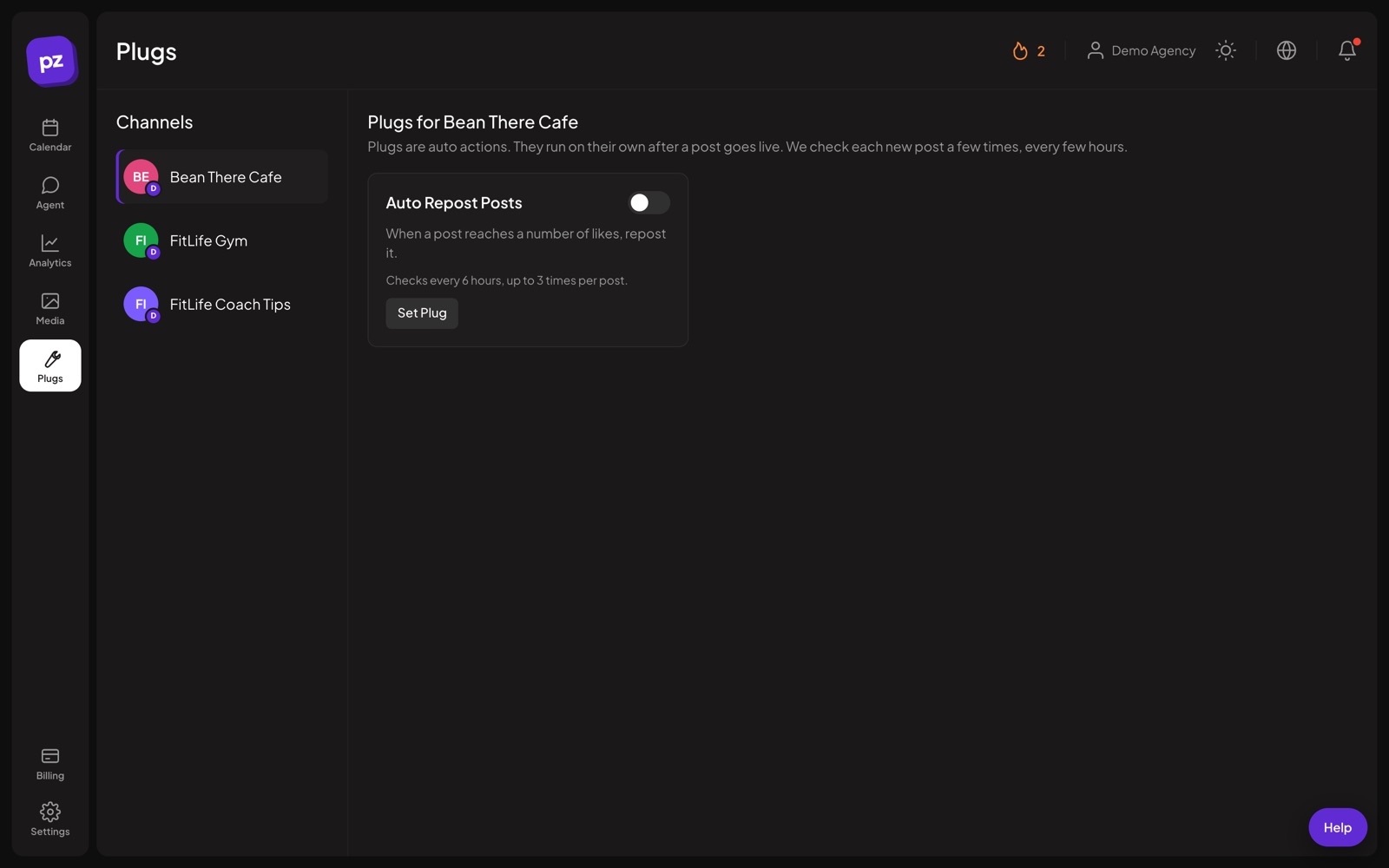
Plugs are automatic actions that run after a post goes live, like reposting it or adding a reply once it reaches a number of likes.
What you can do
Auto repost
Repost a post when it reaches the number of likes you set.
Auto plug
Add a reply to your own post when it takes off, for example a link to your offer.
Supported networks
X, LinkedIn Pages, Threads and Bluesky, where the networks allow it.
Runs on its own
Postozo checks the post a set number of times after it is published.
Set up auto repost in 4 steps
Open Plugs
In the app, open the Plugs page and pick a channel on X, a LinkedIn Page, Threads or Bluesky.
Choose the action
Auto repost reposts the post. Auto plug adds your own reply under it, for example a link to your product or newsletter.
Set the goal
Enter the number of likes that should trigger it. For auto plug, write the reply text too.
It checks for you
After a post goes live, Postozo checks its likes every 6 hours, up to 3 times. When it reaches the goal, the action runs once.
Example: a thread that sells quietly
A founder posts a thread on X about lessons from her first year. She sets auto plug to 100 likes with the reply "I write about this every week, join here" and a link. The thread does well overnight. When it passes 100 likes, the reply appears under it on its own, while people are still reading.
Tips to get more from it
- Set the like goal a little above what your normal posts get, so the action runs only on posts that did well.
- Keep the auto plug reply short and useful, with 1 link. It reads as spam if it is longer than the post.
- Use auto repost on evergreen posts, not on news that will be old by the time the goal is reached.
Who it is for
- Creators add a link to their offer only on posts that already have attention. See Creators.
- Marketing teams give their best company posts a second life with auto repost. See Marketing teams.
- Founders promote a newsletter or product under posts that took off. See Small business.
Plans and limits
Plugs are part of every plan on the networks that support them. See Pricing for every limit.
| Limit | Standard | Team | Pro | Ultimate |
|---|---|---|---|---|
| Auto repost and auto plug | Yes | Yes | Yes | Yes |
Works with these channels
Auto actions works on every connected channel. These are the ones people use it with most:
See all channels, or compare Postozo with other tools on the compare page.
Questions
Which networks support plugs?
X, LinkedIn Pages, Threads and Bluesky. Each channel page lists the plugs it supports.
Can a plug run twice on the same post?
No. When the goal is reached, the action runs once for that post.
Why not every network?
Only these networks let an app read likes and repost or reply in a reliable way.
How often is a post checked?
Every 6 hours after it goes live, up to 3 times. If it has not reached the goal by then, nothing happens.
How does it work on LinkedIn and Threads?
On a LinkedIn Page the goal counts reactions, auto repost reshares the post from the Page, and auto plug adds a comment. Threads supports auto plug only.
How do I recycle evergreen social media posts?
Use repeat posts in the calendar: every day, 2 days, 3 days, week, 2 weeks or month. For posts that take off, add auto repost on X, a LinkedIn Page or Bluesky.
Does LinkedIn repost for you?
No. In Postozo, auto repost on a LinkedIn Page reshares the post from the Page once it reaches the number of reactions you set.
Related features
Analytics
Follow results for each channel and each post, count clicks on your links, and find the best time to post.
Read morePost editor
The post editor sends 1 text to all the channels you pick. Change the text, pictures or settings for a single channel without touching the others.
Read moreCalendar
See every scheduled, published and draft post in 1 place. Switch between day, week, month and list, and drag a post to move it.
Read moreReliability
Postozo was built to fix the 2 things people hate most in schedulers: posts that fail without a reason, and posts that go out twice.
Read moreStart planning your posts today
Create your account and publish your first post in 5 minutes.
Create your free account