 Postozo
Plan, review and publish together
Social media management for marketing teams: editors write, admins approve, and everyone sees the same calendar. Connect it to your tools with the API and webhooks.
Built for marketing teams
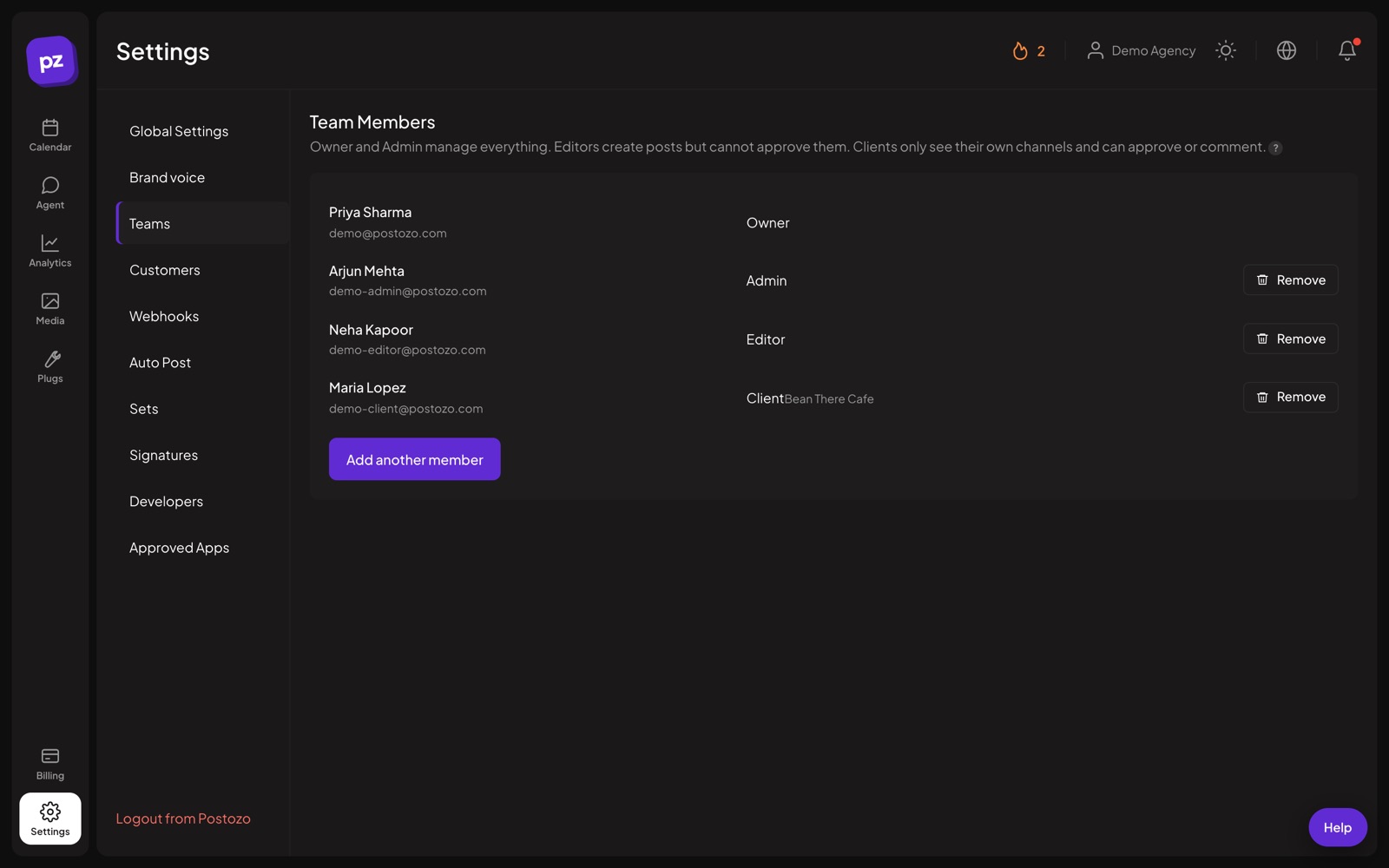
- Roles for owners, admins, editors and clients
- Approval before posts go live
- Comments and change history on every post
- Blog to social with RSS auto post
- Signed webhooks and a public API
- Connect AI apps through MCP
How marketing teams use Postozo
Set roles
Invite writers as editors and reviewers as admins. Editors can schedule, and posts that need approval wait for an admin.
Plan the campaign
Put launch posts on the calendar with tags per campaign, so everyone can see what goes out when.
Review in 1 place
Comments and changes stay with the post, so feedback does not get lost in email or chat.
Connect your tools
Send post published and post failed events to your own systems or an automation tool like n8n, Make or Zapier with signed webhooks, and pull data with the public API.
A day with Postozo
A 6 person team is launching a product on Thursday. On Monday the content lead tags every launch post "Launch" and puts them on the calendar: a LinkedIn Page post, an X thread, a YouTube video and a blog article. The writers draft as editors, and each post waits for the head of marketing to approve it. She comments on the X thread, asking for a shorter hook. The writer fixes it and she approves. RSS auto post shares the blog article when it goes live. On Thursday a webhook sends each "published" event to the team's automation tool, which posts it in their Slack channel, so everyone sees the launch go out.
Features that matter most
Which plan fits
Team fits up to 10 channels. Pro gives 30 channels and more webhooks for bigger teams or several brands.
- Team, $29 a month: 10 channels, team members and client roles, 1,000 AI writing uses a month, RSS auto post.
- Pro, $39 a month: 30 channels, team members and client roles, 3,000 AI writing uses a month, RSS auto post.
Every plan starts with a 7 day free trial, no card needed. See all plans.
Popular channels
Compared with other tools
Marketing teams often look at these tools too. Each comparison uses facts from the other tool's own website.
- Postozo vs Sprout Social: Mid-size and enterprise teams that need a shared inbox, customer care and deep reporting.
- Postozo vs Hootsuite: Larger teams that need a shared inbox, listening and approval routing in one tool.
- Postozo vs Planable: Agencies and teams whose main need is reviewing and approving content with clients.
- Postozo vs Agorapulse: Teams that live in the social inbox and need reporting that ties social to ROI.
Questions
Can editors publish without approval?
Editors can schedule posts. If approval is on for a customer, those posts wait for an admin or the client.
Can we connect our own tools?
Yes. Use the public API, webhooks, the command line tool or the MCP server.
Is there a social inbox?
No. Postozo does not reply to comments and messages from 1 inbox. It focuses on planning, approval, publishing and results.
Can we tag posts by campaign?
Yes. Give each campaign its own coloured tag and add it to every post in that campaign.
Other solutions
Agencies
Group channels by client, get approval before posts go live, and give clients a view of only their own brand.
Read moreSmall business
Plan a week of posts in 1 sitting. Postozo publishes them on time to Facebook, Instagram, Google Business Profile and more.
Read moreCreators
Plan posts, threads, videos and carousels for every network you are on, and let good posts repost themselves.
Read moreAll solutions
Compare the 4 ways teams use Postozo.
Read moreStart planning your posts today
Create your account and publish your first post in 5 minutes.
Create your free account