
AI WhatsApp scheduler: post to WhatsApp from ChatGPT, Claude or Postozo Chat
Ask an AI app in plain words, or write the posts yourself. Message everyone on your list on WhatsApp through your own WhatsApp Business number, using your approved template. Schedule broadcasts like posts, repeat them, or reach 1 person with Send only to.
Post to WhatsApp from ChatGPT, Claude or Postozo Chat
Ask for WhatsApp broadcasts to opted-in customers in plain words. Postozo gives the AI the WhatsApp rules, checks every post against them and schedules nothing until you say yes.
ChatGPT
Connect Postozo as a custom app in ChatGPT's developer mode, then ask it for WhatsApp posts.
Claude
Add Postozo to Claude with your personal link, then ask Claude to plan and schedule WhatsApp posts.
Postozo Chat
Open Postozo Chat (Agent in the Postozo menu), pick your WhatsApp channel and ask. No other app needed.
Everything you need in a WhatsApp post scheduler
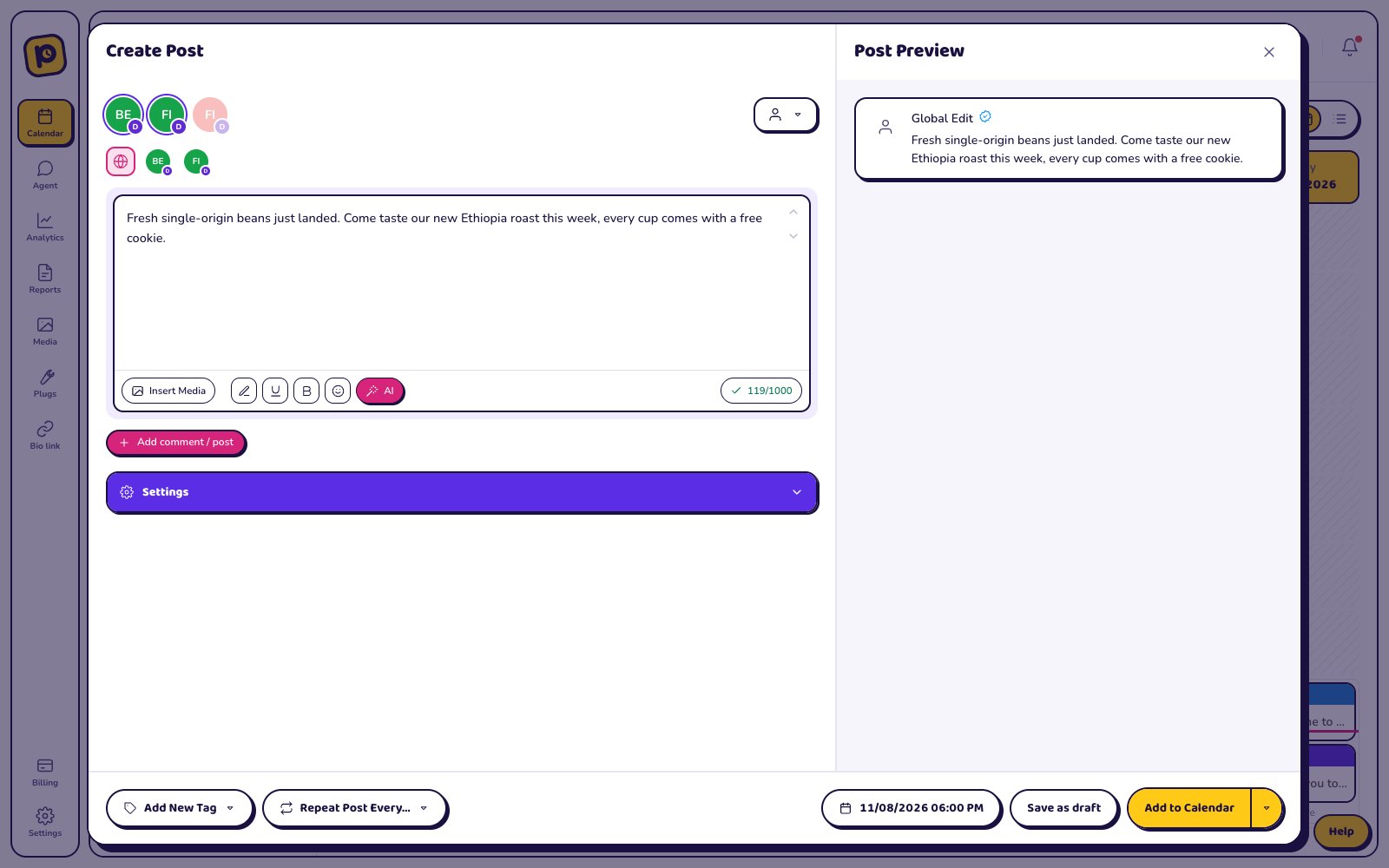
- Schedule WhatsApp broadcasts to opted-in customers for any date and time, or post right away
- Write once for many channels, then change the text for WhatsApp only
- Preview the post before it goes out
- WhatsApp settings in the editor: Send only to (this post)
- Repeat the post every day, week or month
- Send it to a client for approval first
- Use AI to fit the text to WhatsApp's length and style
How to connect WhatsApp
- In Postozo, click Add Channel and pick WhatsApp.
- Paste your details: Access token, Phone number ID, Approved template name, Template language code, Recipients.
- Save. The channel appears in your channel list.
See the step by step guide to connect WhatsApp, with screenshots.
WhatsApp rules we check for you
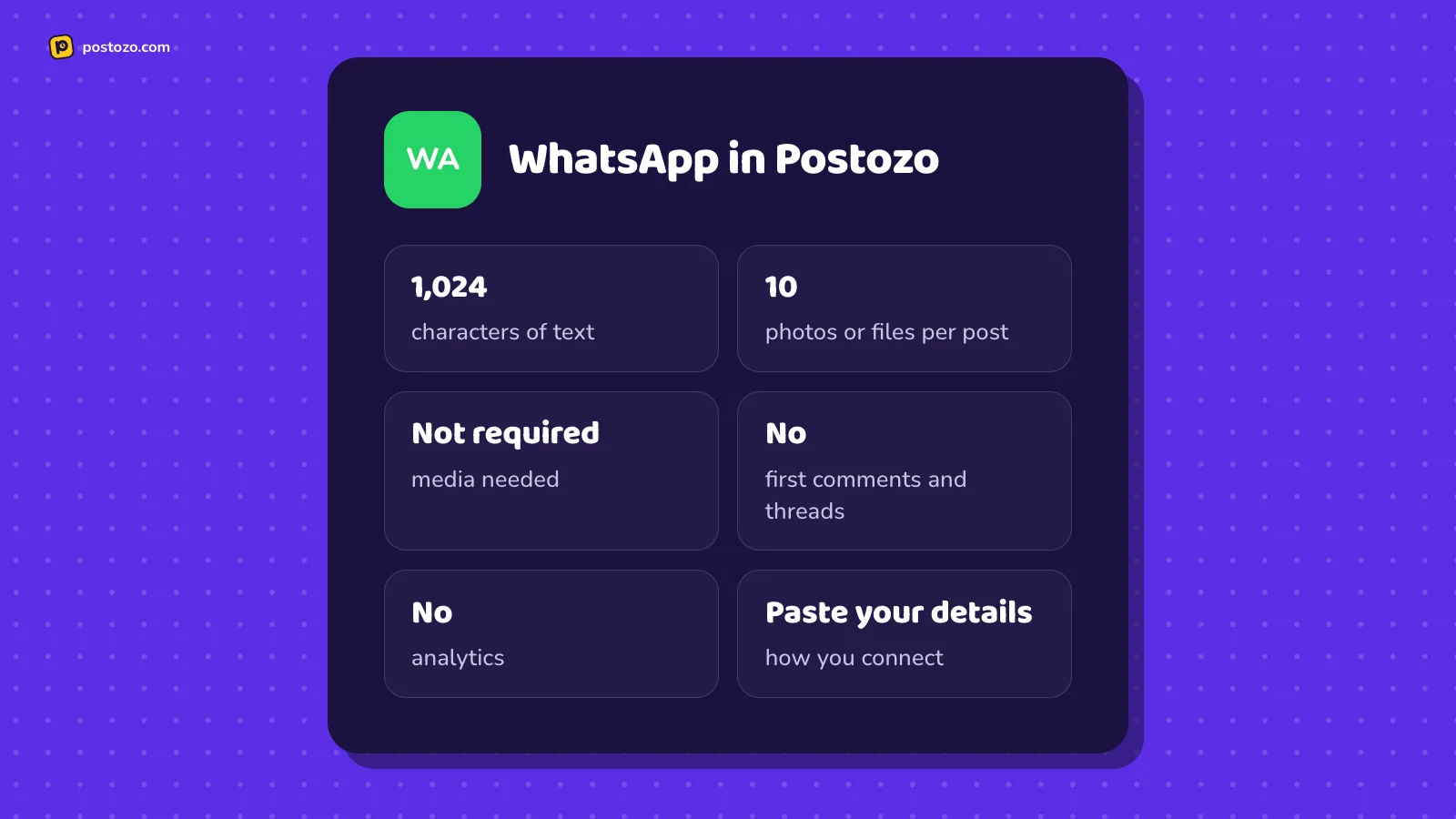
Sends the post text through your approved WhatsApp template to every number on the channel list, or only to "Send only to" in Settings. Up to 1024 characters, shown as 1 paragraph (line breaks become spaces). No photos yet, no markdown. Recipients must have opted in.
Who uses Postozo for WhatsApp
Offers and news to customers who opted in
Order, booking and delivery updates
Countries where WhatsApp beats email
Tips for WhatsApp
- WhatsApp only delivers broadcasts through a template it approved. Write the template once with a {{1}} variable, and every post fills it.
- Line breaks are not allowed inside the variable, so the message shows as 1 paragraph. Write 1 tight paragraph.
- Meta charges your WhatsApp Business account per conversation and per country. A broadcast to 200 people opens 200 conversations.
- Only message people who opted in. When too many people block you, Meta lowers how many messages your number may send.
Example WhatsApp post
1 warm paragraph with real news and a next step. It becomes the {{1}} variable of the approved template. This is sample text to show the format, not a real customer post.
Checklist before you schedule a WhatsApp post
- The text is under 1,024 characters for WhatsApp.
- No more than 10 photos or files are attached.
- The channel sits under the right customer, so approval rules apply.
- A time is picked, or the post uses the next free slot.
How approval, AI and reports work on WhatsApp
Approval. If the WhatsApp channel belongs to a customer with approval turned on, every post waits for a yes. The client sees a preview on a review link and can approve, ask for changes or comment. A post that is changed after approval goes back for a new yes.
AI. The AI assistant can fit a post to WhatsApp, keeping it under 1,024 characters, in your brand voice. It can also translate it and write alt text for pictures. Nothing changes until you accept.
Analytics. Postozo does not read post results from WhatsApp, so there are no WhatsApp numbers on the analytics page. You can still count clicks on your links with short links.
Bulk upload. Plan many WhatsApp posts in a spreadsheet and upload them as a CSV file with bulk upload: up to 500 lines, each checked against WhatsApp's rules before anything is created.
Client reports. WhatsApp posts are counted in client reports, without network numbers, because WhatsApp does not share them.
Client accounts. A client can connect their own WhatsApp account from a client connect link, filling in Access token, Phone number ID, Approved template name, Template language code, Recipients on the link page, so no password changes hands.
Related features
Check a draft against the WhatsApp limit with the free WhatsApp character counter, or count for every network at once with the social media character counter.
Other tools that post to WhatsApp
Also looking at other schedulers for WhatsApp? Read our comparisons with Hootsuite, Sprout Social.
Can I schedule WhatsApp broadcasts to opted-in customers with Postozo?
Yes. Connect your account, write the post, pick a date and time, and Postozo publishes it for you.
How many characters can I use in a post on WhatsApp?
Postozo allows up to 1,024 characters for WhatsApp, which is the limit we check before saving.
Can I add a first comment on WhatsApp?
No. WhatsApp posts do not support follow-up comments in Postozo.
Can I post to WhatsApp from ChatGPT or Claude?
Yes. Connect Postozo to ChatGPT or Claude, or use Postozo Chat in the app, and ask for WhatsApp broadcasts to opted-in customers. It checks the WhatsApp rules and schedules each post only after you say yes.
Can I post to WhatsApp and other networks at the same time?
Yes. Pick all the channels you want in 1 post, and change the text for any single channel.
Is WhatsApp included in every plan?
Yes. Every plan includes all 30 channel types. Plans differ in how many channels you can connect. See Pricing.
Post to WhatsApp from your AI app
Connect WhatsApp, then ask ChatGPT, Claude or Postozo Chat for your first week of posts.
7 day free trial. No card needed.