 Postozo
Get a clear yes from clients before anything goes live
Turn on approval for a customer and every post for them waits for a yes. Clients approve, ask for changes or comment from a simple review link.
What you can do
Approval per customer
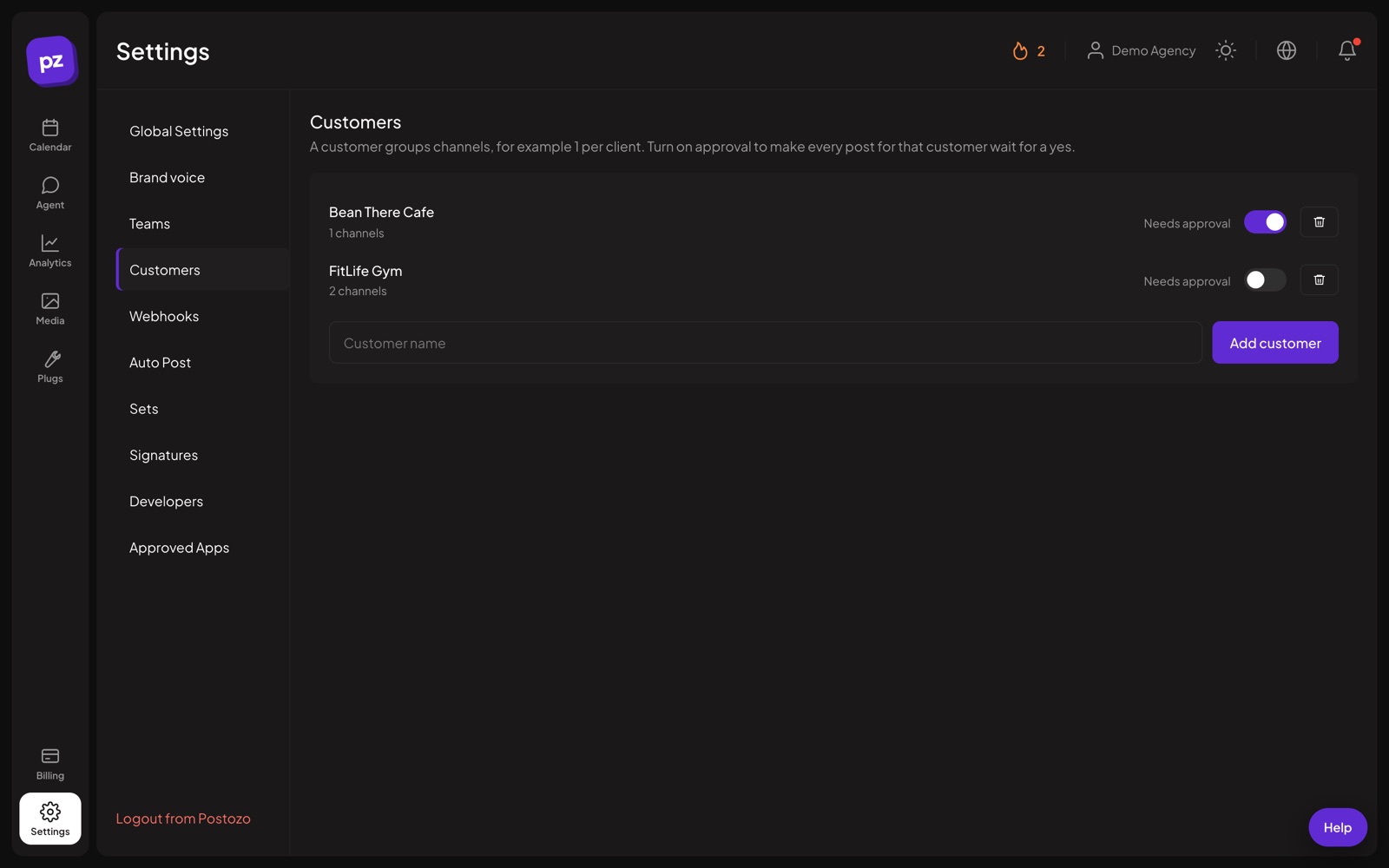
Switch on "Needs approval" for the clients who want to see posts first.
Review links
Share a link to a post. The client sees a preview and can approve, request changes or comment without an account.
Client members
Prefer accounts? Invite clients as Client members. They only see their own brand.
What if nobody answers
Choose what happens when a post reaches its time without a reply: keep waiting, publish anyway or move it back to drafts.
Comments and history
Every comment and change is kept with the post, so you know who asked for what.
Webhooks for approvals
Send approval events to your own tools with signed webhooks.
The social media approval process in 4 steps
Create a customer
Add a customer for each client and put their channels under it. The calendar can then show 1 client at a time.
Turn on approval
Switch on "Needs approval" for that customer and choose what happens if nobody answers in time: keep waiting, publish anyway or move the post to drafts.
Share the post
Send the review link, or invite the client as a Client member who signs in and sees only their own brand.
Get a clear answer
The client approves, requests changes or comments. Approved posts go out at their time. Posts with change requests wait for you.
Example: 3 clients, 3 different rules
An agency runs social media for a restaurant, a law firm and a gym. The restaurant trusts the agency, so approval stays off. The law firm must check every word, so approval is on and posts wait for as long as it takes. The gym wants to see posts but often forgets, so approval is on with "publish anyway" at the scheduled time. Each client gets review links by email from the account manager and answers in 1 click.
Tips to get more from it
- Pick the timeout rule with the client at the start. It avoids arguments when a post goes out, or does not.
- Send review links a few days ahead so the client has time to ask for changes.
- Use comments on the post for feedback, so the whole history stays in 1 place instead of in email.
Who it is for
- Agencies stop chasing clients on chat apps for a yes, and keep the answer with the post. See Agencies.
- Marketing teams let editors write while a manager or a legal reviewer approves. See Marketing teams.
- Franchise owners can check what a head office posts on their local pages. See Small business.
Plans and limits
Review links, customers and approval rules work on every plan. Client members come with the plans that include a team. See Pricing for every limit.
| Limit | Standard | Team | Pro | Ultimate |
|---|---|---|---|---|
| Review links for clients | Yes | Yes | Yes | Yes |
| Customers and approval rules | Yes | Yes | Yes | Yes |
| Client members | No | Yes | Yes | Yes |
Works with these channels
Client approval works on every connected channel. These are the ones people use it with most:
See all channels, or compare Postozo with other tools on the compare page.
Questions
Does my client need an account?
No. They can use the review link. You can also add them as a Client member if you want.
Can a client see other clients' posts?
No. Client members only see the customers they are assigned to.
Can editors approve posts?
No. Editors create posts. Owners and admins approve them.
What if I change a post after it was approved?
If the customer needs approval, the changed post goes back to waiting for approval, so the client always approves the final version.
Can my own tools know when a post is approved?
Yes. Signed webhooks send events when approval is requested, when a post is approved and when changes are requested.
What is an approval workflow?
The steps a post must pass before it is published: someone writes it, the right person approves it or asks for changes, and only then does it go out. See the social media approval workflow guide.
Can I show clients my agency brand on review pages?
Yes, on Pro and Ultimate. See white label.
Related features
Team and roles
Invite your team and clients to 1 workspace. Each role sees and does only what it should.
Read moreCalendar
See every scheduled, published and draft post in 1 place. Switch between day, week, month and list, and drag a post to move it.
Read morePost editor
The post editor sends 1 text to all the channels you pick. Change the text, pictures or settings for a single channel without touching the others.
Read moreAPI and MCP
A public API, an MCP server for AI apps, a command line tool and signed webhooks, all included in every plan.
Read moreStart planning your posts today
Create your account and publish your first post in 5 minutes.
Create your free account