 Postozo
Work together with clear roles
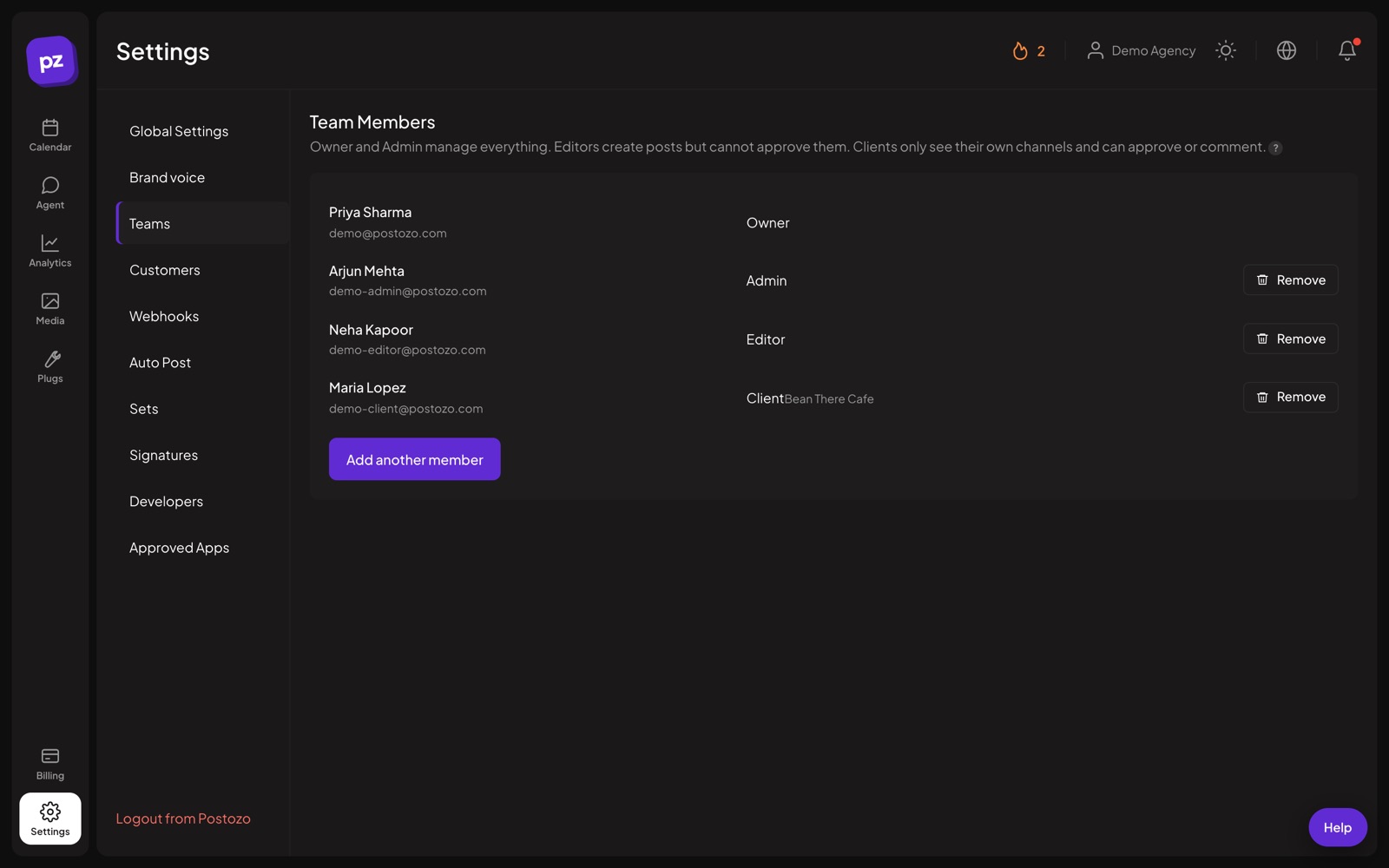
Invite your team and clients to 1 workspace. Each role sees and does only what it should.
What you can do
Owner and Admin
Manage channels, team, billing and approvals.
Editor
Create and schedule posts. Posts that need approval wait for an admin or the client.
Client
Sees only their own brand. Can approve, ask for changes and comment.
Many workspaces
Keep separate workspaces, for example 1 for your agency and 1 for a big client, and switch in 1 click.
Invites by email
Invite people by email. They join with the role you picked.
Notifications
The team is told when a post goes live or fails. Failures also arrive by email.
Set up your social media team in 4 steps
Invite by email
In Settings, add a team member with their email and a role: admin, editor or client.
Limit clients to their brand
For a Client member, pick the customers they may see. They will not see other clients' posts, numbers or notifications.
They join
The invited person opens the email, signs up or signs in, and lands in your workspace with the right role.
Work in the same calendar
Editors write and schedule. Admins approve and fix failed posts. Everyone sees the same plan.
Example: a team of 4
A marketing team has a head of marketing, 2 writers and a designer. The head is an admin and approves posts. The writers are editors: they draft posts, and anything for the main brand waits for her yes. The designer is also an editor and adds pictures to the drafts from the media library. When a post fails because a picture has the wrong shape, the whole team sees the notice and the reason.
Tips to get more from it
- Give most people the editor role. Keep admin for the people who approve and manage billing.
- Invite clients as Client members only when they want to log in. Review links are enough for most.
- Use separate workspaces for clients who need their own brand voice, billing or team.
Who it is for
- Marketing teams split writing and approving without sharing passwords. See Marketing teams.
- Agencies add clients as Client members who only ever see their own brand. See Agencies.
- Creators with an editor or assistant give them access without handing over their social logins. See Creators.
Plans and limits
Team members need the Team plan or higher. Standard is for 1 person. See Pricing for every limit.
| Limit | Standard | Team | Pro | Ultimate |
|---|---|---|---|---|
| Team members and roles | No | Yes | Yes | Yes |
| Client members | No | Yes | Yes | Yes |
| Channels | 5 | 10 | 30 | 100 |
Works with these channels
Team and roles works on every connected channel. These are the ones people use it with most:
See all channels, or compare Postozo with other tools on the compare page.
Questions
How many team members can I add?
Team, Pro and Ultimate plans include team members. See Pricing.
Can I limit a client to 1 brand?
Yes. Pick which customers a Client member can see when you invite them.
Do team members need their own social logins?
No. Channels are connected once for the workspace. Team members post through them without the passwords.
Who hears about a failed post?
The team gets a notice in the app, and failures also arrive by email with the reason and the fix.
How do roles and permissions work?
Owners and admins manage channels, the team, billing and approvals. Editors create and schedule posts. Clients see only their own brand and can approve, ask for changes and comment.
Related features
Client approval
Turn on approval for a customer and every post for them waits for a yes. Clients approve, ask for changes or comment from a simple review link.
Read moreCalendar
See every scheduled, published and draft post in 1 place. Switch between day, week, month and list, and drag a post to move it.
Read moreAnalytics
Follow results for each channel and each post, count clicks on your links, and find the best time to post.
Read moreReliability
Postozo was built to fix the 2 things people hate most in schedulers: posts that fail without a reason, and posts that go out twice.
Read moreStart planning your posts today
Create your account and publish your first post in 5 minutes.
Create your free account