 Postozo
A social media analytics tool that shows what works
Follow results for each channel and each post, count clicks on your links, and find the best time to post.
What you can do
Channel results
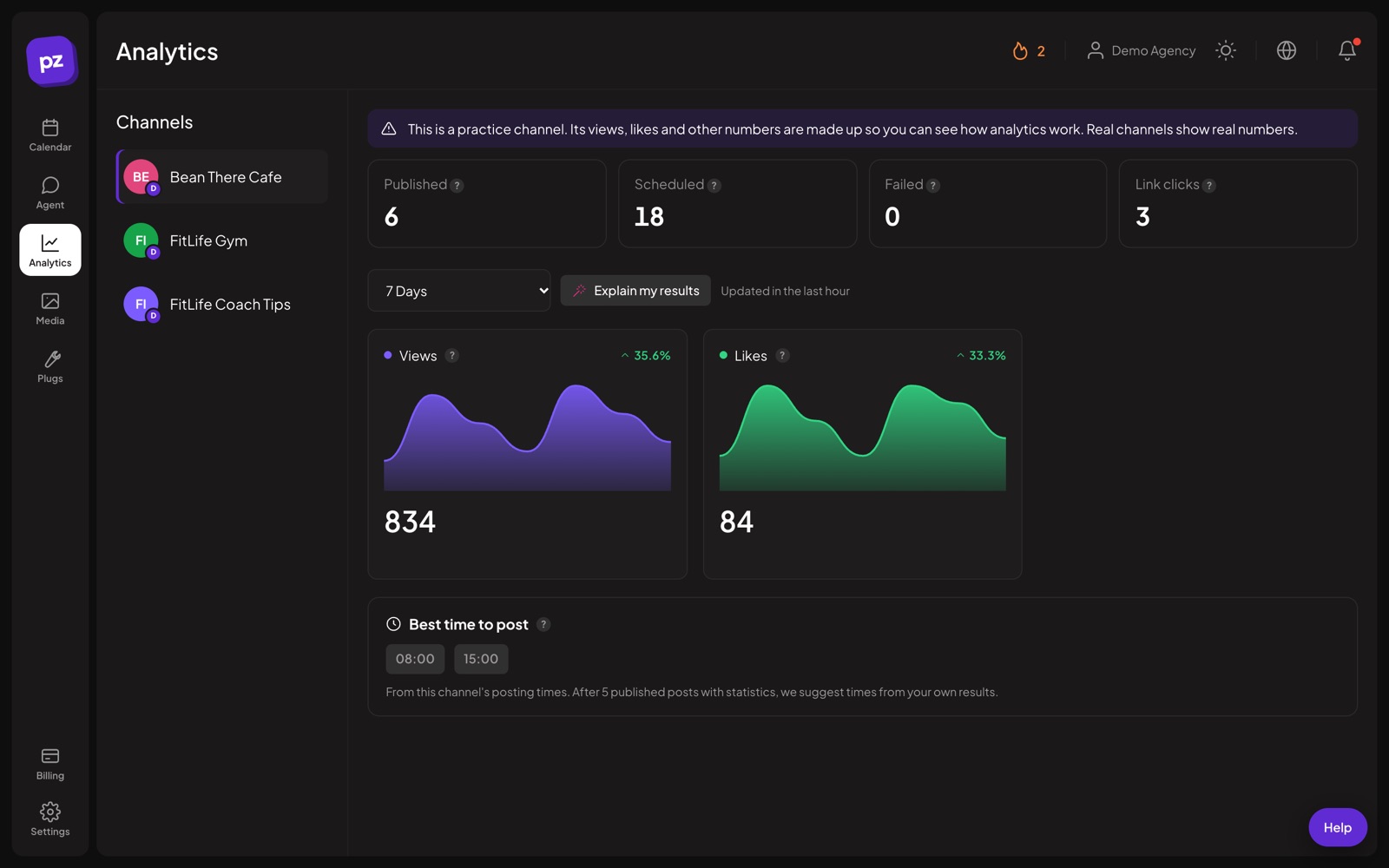
Followers, views, likes and more, as each network makes them available, for 7, 30 or 90 days.
Post results
Open any published post to see how it did.
Short link clicks
Links in your posts can be shortened so you can count clicks.
Workspace summary
Published, scheduled and failed posts across all channels at a glance.
Best time to post
Suggestions from your own results once a channel has enough posts, or from its posting times until then.
Explain my results
The AI assistant can sum up your numbers in plain words.
Read your social media analytics in 4 steps
Pick a channel
Open Analytics and choose a channel. Pick 7, 30 or 90 days.
Read the numbers
See the figures that network shares, such as followers, views, likes or comments. Numbers are refreshed at least every hour.
Open a post
From the calendar, open any published post to see its own results and the clicks on its short links.
Act on it
Ask for the best time to post, or let the AI explain the results in plain words with 3 ideas to try next.
Example: finding a better time
A shop has posted to Instagram at 13:00 for months. After more than 5 published posts with statistics, Best time to post looks at the last 180 days and lists the 3 hours with the most likes, comments and shares on average. If evening posts did better, the shop adds an evening posting time, and new posts use that free slot.
Tips to get more from it
- Compare the same period each time, for example the last 30 days, so changes mean something.
- Look at clicks on short links as well as likes. Clicks show who took action.
- Wait for at least 5 published posts with statistics before you trust the best time to post.
Who it is for
- Marketing teams check which channels and posts work before the monthly report. See Marketing teams.
- Agencies show clients their own numbers, since Client members only see their brand. See Agencies.
- Creators learn which days and hours their audience responds to. See Creators.
Plans and limits
Analytics, short links and the workspace summary are included in every plan. See Pricing for every limit.
| Limit | Standard | Team | Pro | Ultimate |
|---|---|---|---|---|
| Channel and post analytics | Yes | Yes | Yes | Yes |
| Short link clicks | Yes | Yes | Yes | Yes |
| Explain my results (uses AI writing uses) | Yes | Yes | Yes | Yes |
Works with these channels
Analytics works on every connected channel. These are the ones people use it with most:
See all channels, or compare Postozo with other tools on the compare page.
Questions
Which networks have analytics?
15 networks, depending on what each network shares: Facebook, Instagram, LinkedIn, X, Threads, TikTok, YouTube, Pinterest, Google Business Profile, Reddit, Bluesky, Mastodon, Tumblr, VK, Farcaster. Each channel page shows what is available.
Where do the numbers come from?
Straight from each network, refreshed at least every hour.
How does Best time to post work?
Once a channel has 5 published posts with statistics in the last 180 days, it lists the 3 hours with the best average likes, comments and shares. Before that, it shows the channel's posting times.
Are the numbers on the practice channel real?
No. The practice channel shows made-up numbers so you can see how the page works, and the page says so.
What is social media analytics?
The numbers that show how your posts and accounts do, such as followers, views, likes, comments, shares and link clicks.
What can social media analytics help you track?
Which posts, channels, days and hours get the most response, and whether posts send people to your website. In Postozo, short links count the clicks.
Related features
Short links
Shorten the links in your posts and see how many people clicked, with no extra tool.
Read moreAI assistant
Write a post from a short idea, improve it, translate it or fit it to each network. You see every suggestion before it changes your post.
Read moreCalendar
See every scheduled, published and draft post in 1 place. Switch between day, week, month and list, and drag a post to move it.
Read moreTeam and roles
Invite your team and clients to 1 workspace. Each role sees and does only what it should.
Read moreStart planning your posts today
Create your account and publish your first post in 5 minutes.
Create your free account