 Postozo
Schedule WordPress blog posts with Postozo
Publish blog posts to your WordPress site with a title, status and featured image, straight from the calendar.
Everything you need in a WordPress post scheduler
- Schedule WordPress blog posts for any date and time, or post right away
- Write once for many channels, then change the text for WordPress only
- Preview the post before it goes out
- WordPress settings in the editor: Post title, Status
- Repeat the post every day, week or month
- Send it to a client for approval first
- Use AI to fit the text to WordPress's length and style
How to connect WordPress
- In Postozo, click Add Channel and pick WordPress.
- Paste your details: Site URL, Username, Application password.
- Save. The channel appears in your channel list.
See the step by step guide to connect WordPress, with screenshots.
WordPress rules we check for you
Publishes a blog post. Needs a title. The first image becomes the featured image. Line breaks become paragraphs.
Who uses Postozo for WordPress
Blogs with a content calendar
Agencies posting for client sites
Sharing the same story on your blog and social
Tips for WordPress
- Every post needs a title. The first image becomes the featured image.
- Line breaks in the text become paragraphs on your site.
- Pick the status: Publish, Draft, Pending review or Private. Use Pending review when an editor on the site should check it.
- Connect with a WordPress application password from Users, Profile, not your main password.
Example WordPress post
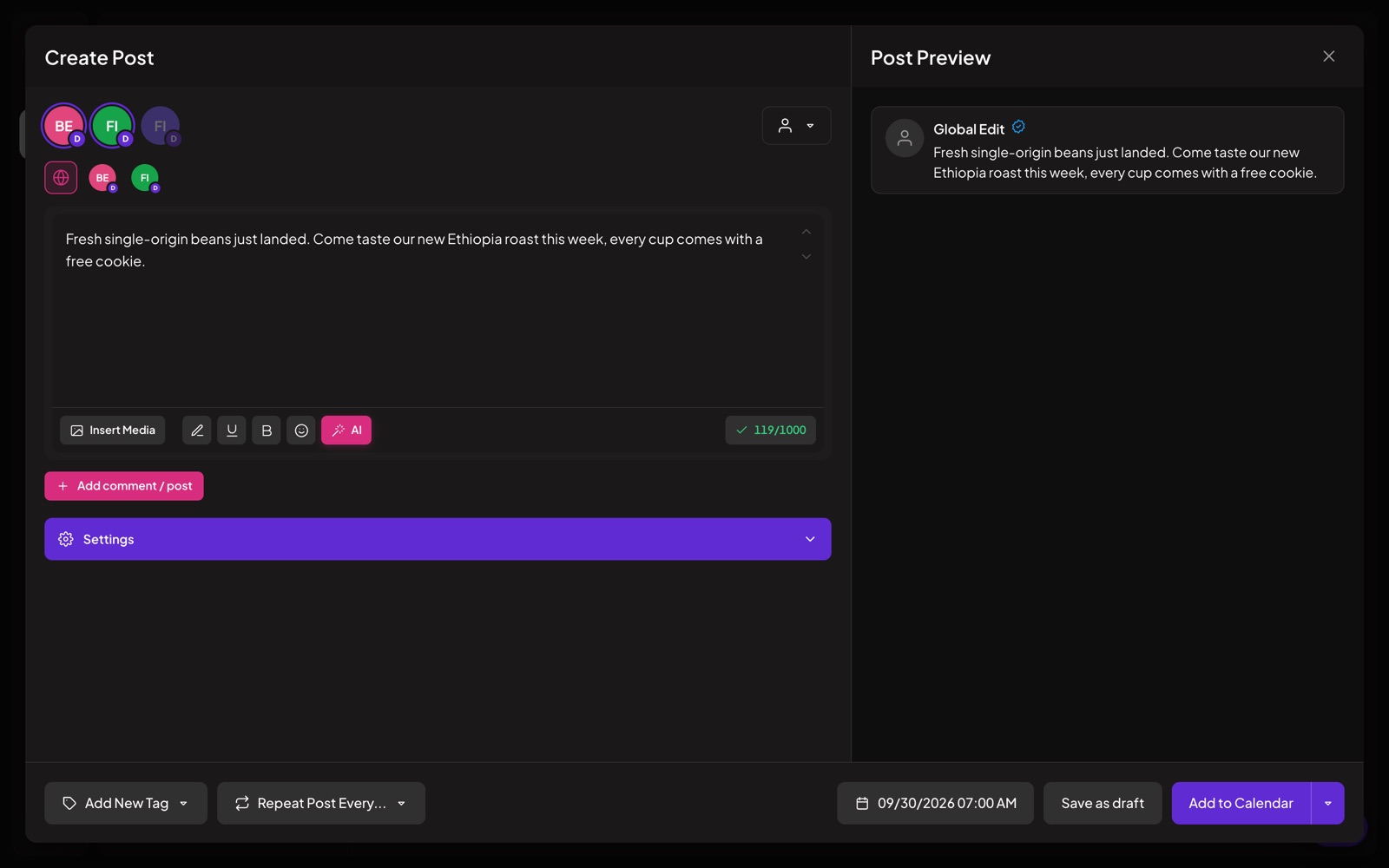
The blog post and the social posts that share it sit on the same calendar. This is sample text to show the format, not a real customer post.
Checklist before you schedule a WordPress post
- The text is final. WordPress has no practical length limit, so read it once more.
- No more than 1 photo or file is attached.
- The required WordPress settings are filled in: Post title.
- The channel sits under the right customer, so approval rules apply.
- A time is picked, or the post uses the next free slot.
How approval, AI and analytics work on WordPress
Approval. If the WordPress channel belongs to a customer with approval turned on, every post waits for a yes. The client sees a preview on a review link and can approve, ask for changes or comment. A post that is changed after approval goes back for a new yes.
AI. The AI assistant can fit a post to WordPress, in your brand voice. It can also translate it and write alt text for pictures. Nothing changes until you accept.
Analytics. Postozo does not read post results from WordPress, so there are no WordPress numbers on the analytics page. You can still count clicks on your links with short links.
Related features
Other tools that post to WordPress
Also looking at other schedulers for WordPress? Read our comparisons with Postiz, Publer, Sendible.
Questions
Can I schedule WordPress blog posts with Postozo?
Yes. Connect your account, write the post, pick a date and time, and Postozo publishes it for you.
How many characters can I use in a post on WordPress?
Postozo allows up to No practical limit characters for WordPress.
Can I add a first comment on WordPress?
No. WordPress posts do not support follow-up comments in Postozo.
Can I post to WordPress and other networks at the same time?
Yes. Pick all the channels you want in 1 post, and change the text for any single channel.
Is WordPress included in every plan?
Yes. Every plan includes all 30 channel types. Plans differ in how many channels you can connect. See Pricing.
Why is my scheduled WordPress post not posting?
Most failures break a WordPress rule or come from a channel that lost access. The rules Postozo checks: Publishes a blog post. Needs a title. The first image becomes the featured image. Line breaks become paragraphs. In Postozo, a failed post shows the reason and the fix, and you get an email.
Start scheduling WordPress posts
Connect WordPress and your other channels, then plan your first week in minutes.
Create your free account