 Postozo
How to connect DEV to Postozo
Paste a few details from DEV and start scheduling. This guide shows where to find each detail, each screen in Postozo, and how to fix common errors.
What you need before you start
- A DEV Community account.
- A DEV API key from your settings.
DEV connects with details you copy from DEV (a key, token or app password). Postozo checks them with DEV before saving and stores them encrypted.
Connect DEV step by step
Step 1. Open Add Channel
Sign in to Postozo. On the Calendar, press Add Channel at the top of the channel list. A window opens with a tile for every network. Find the DEV Community tile and press it. Each tile also has a How to connect link that opens this guide.
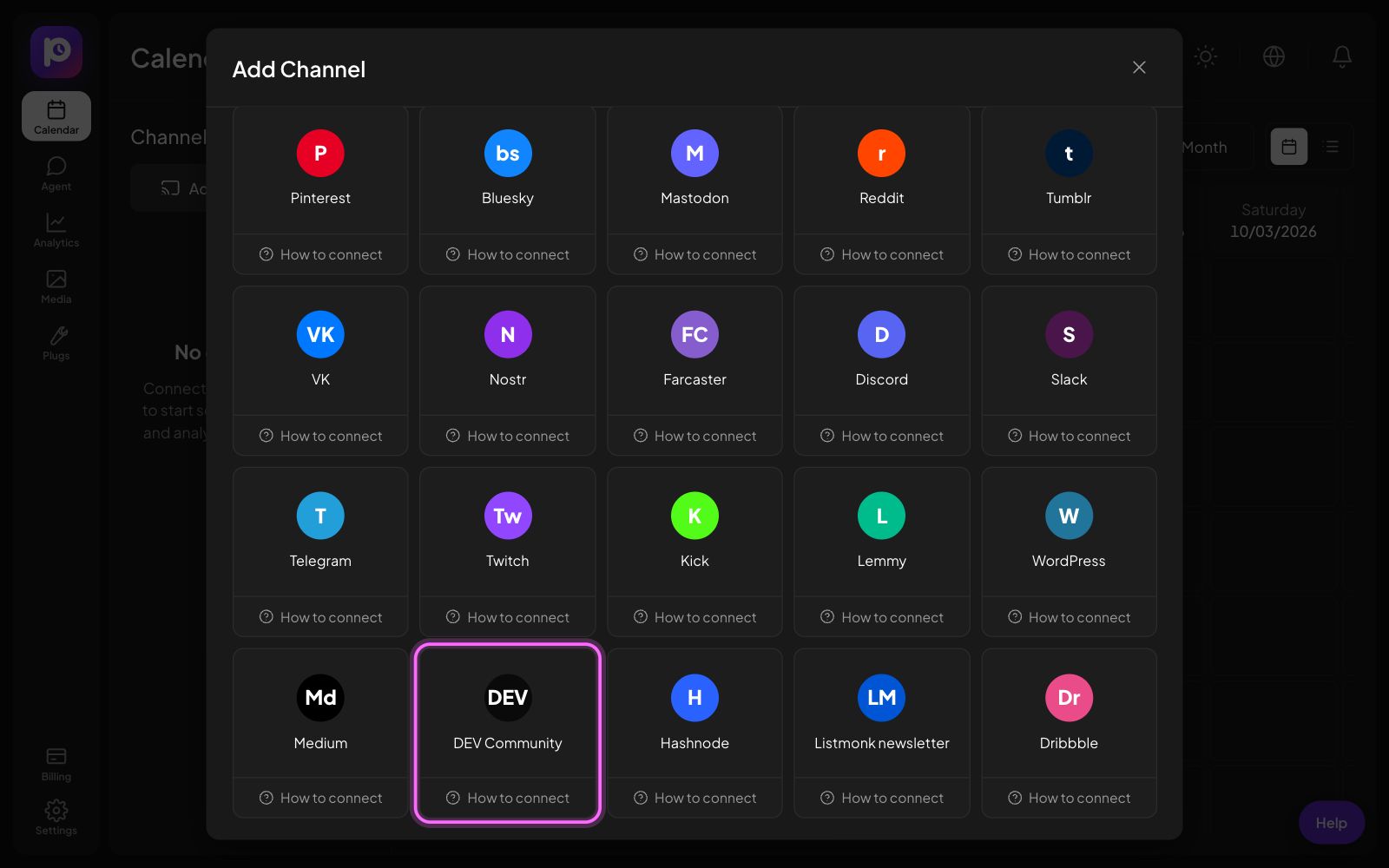
If the tile says Coming soon on this server, the server you use has not added its DEV app keys yet. Ask the person who runs your Postozo server. On postozo.com this is done for you.
Step 2. Fill in your DEV details
A form opens. It asks for 1 detail: API key. Under each field, press Where do I find this? to see the exact steps. We copy those steps below.
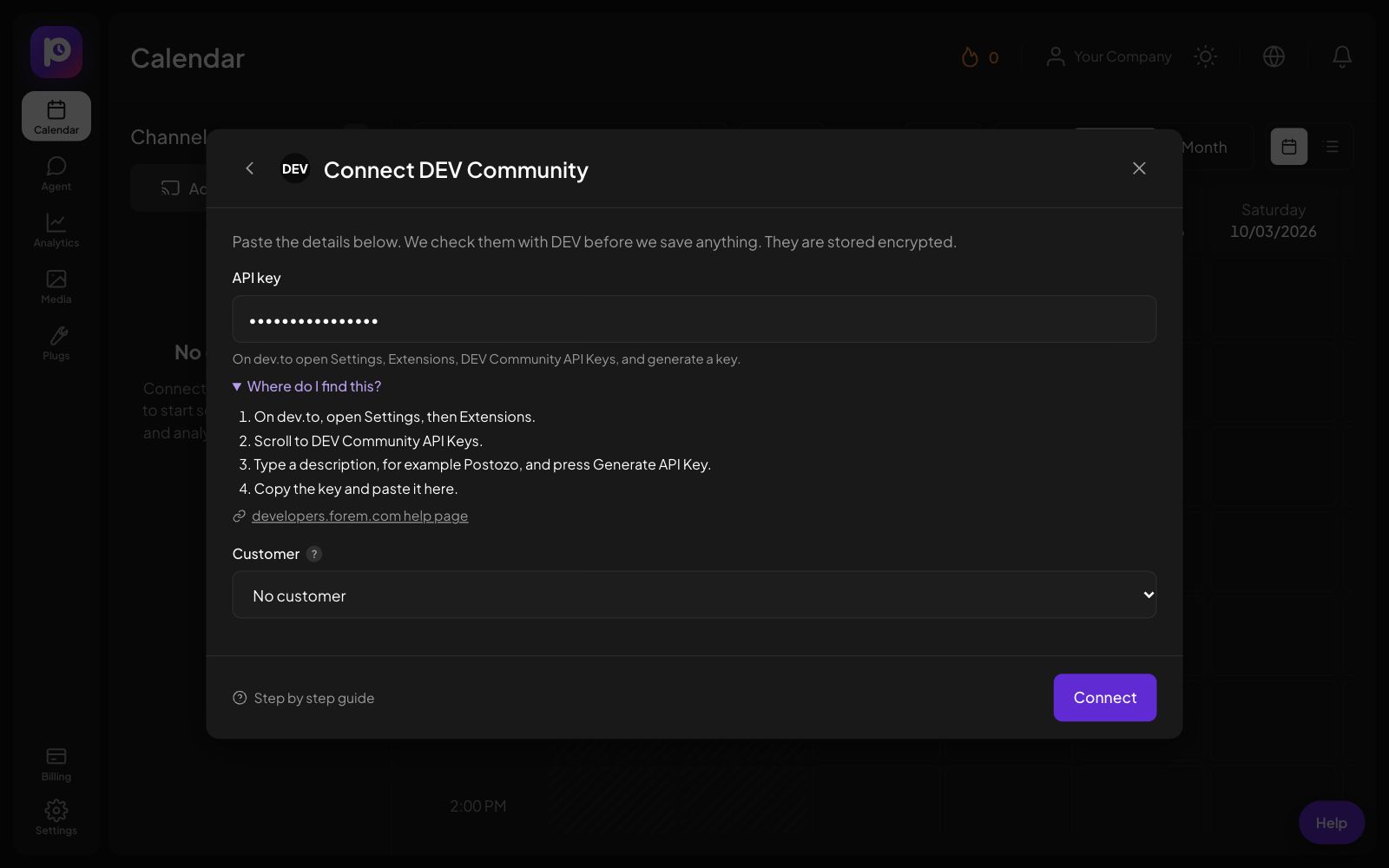
API key
- On dev.to, open Settings, then Extensions.
- Scroll to DEV Community API Keys.
- Type a description, for example Postozo, and press Generate API Key.
- Copy the key and paste it here.
Step 3. Press Connect
Postozo checks the details with DEV before it saves anything. If something is wrong, the form stays open and shows what to fix. Nothing is saved until the check passes. The details are stored encrypted.
Step 4. Check the new channel
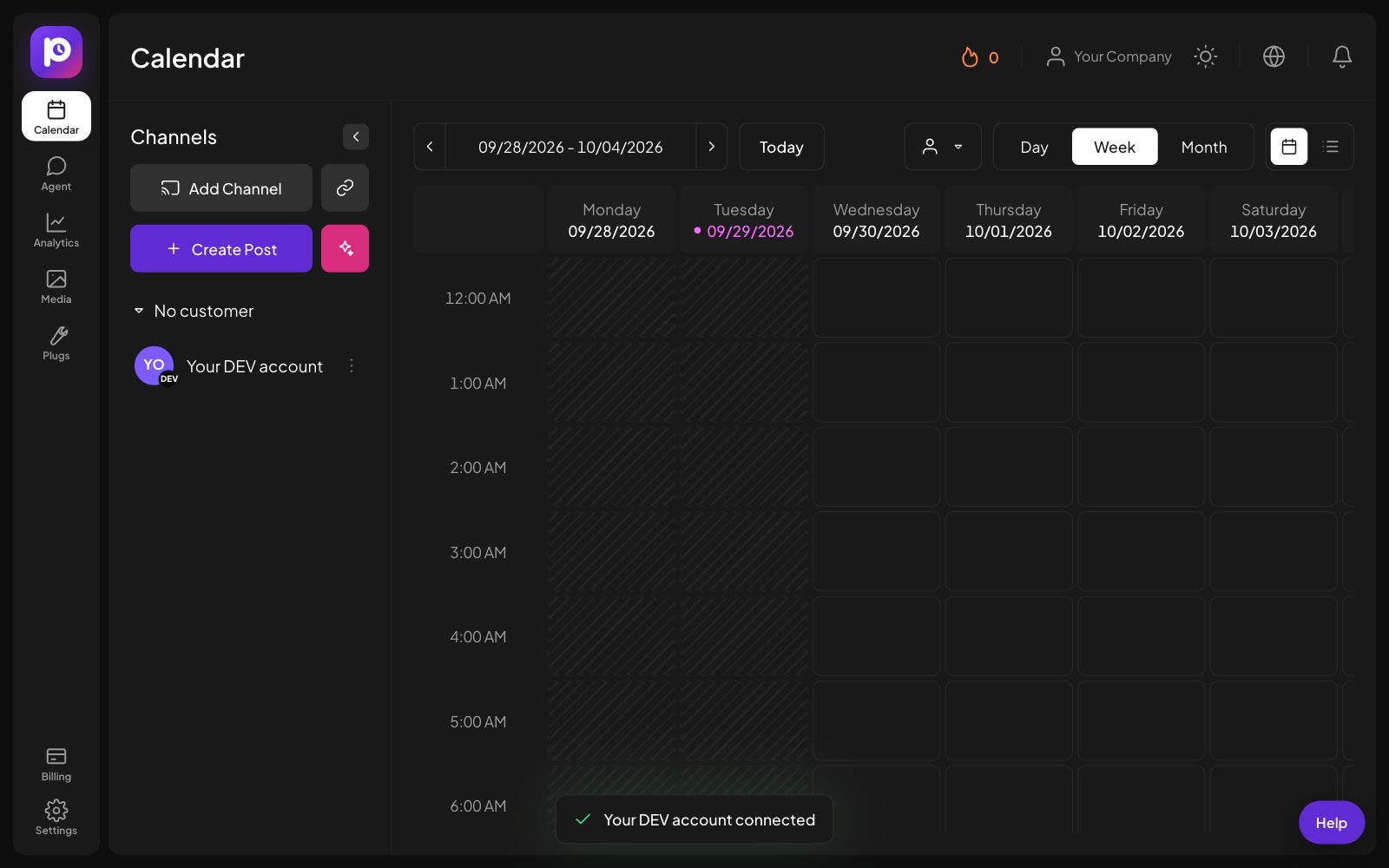
Back on the Calendar, the new channel shows in the channel list on the left, with a small DEV badge on its picture. A message at the bottom says it is connected. You can now pick it in the post editor.
Step 5. Set your preferences
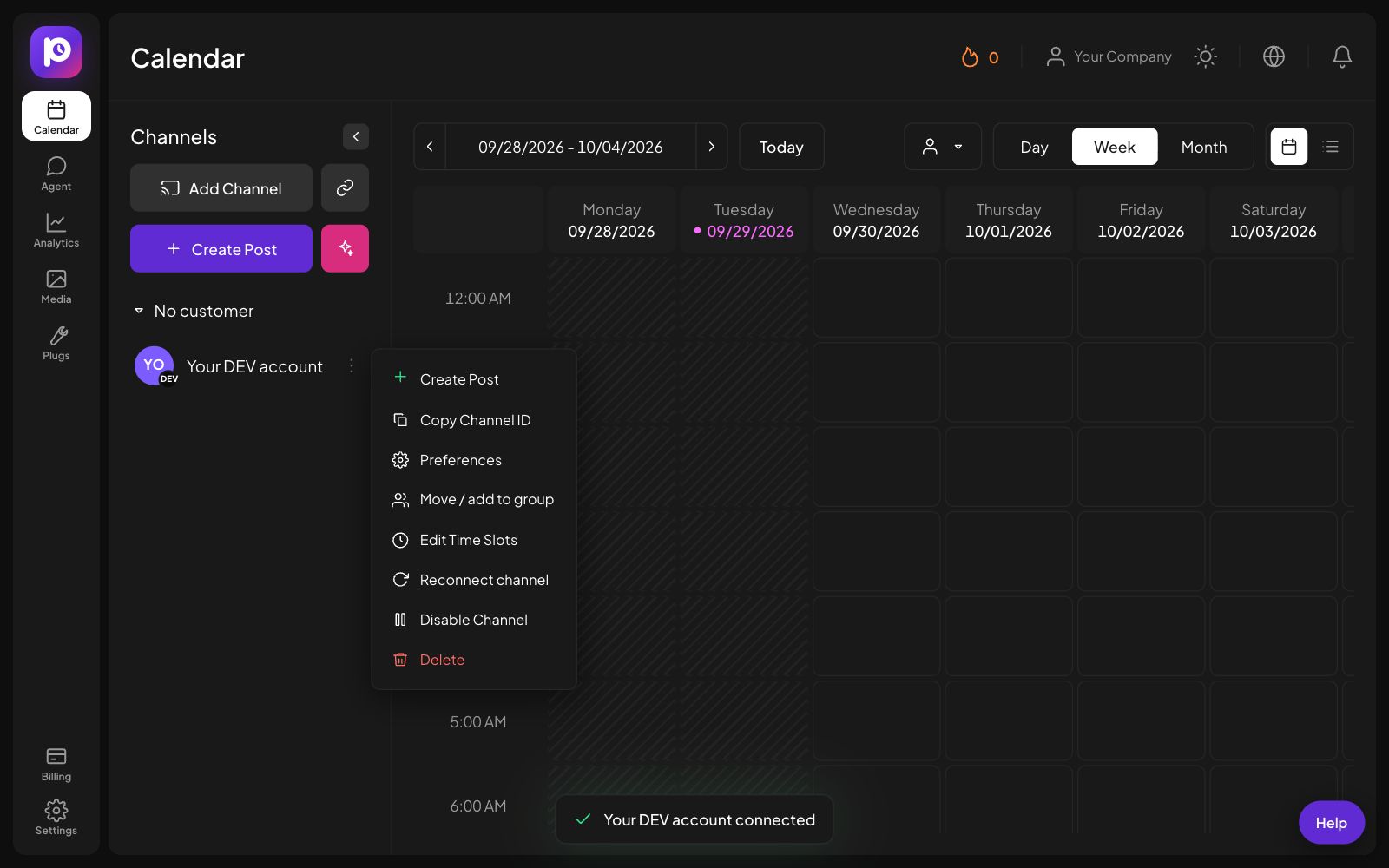
Press the 3 dots next to the channel to open its menu. From here you can set Preferences (default settings for every new post on this channel, like Article title, Tags, Original article link), edit time slots, move the channel to a customer, reconnect, turn it off or delete it.
Common errors and how to fix them
| What you see | What to do |
|---|---|
| "DEV did not accept that API key" | Generate a new key in Settings, Extensions and paste it again. |
| Too many tags | DEV allows up to 4 tags per article. |
| A red message under a field | The value does not have the right format. The message says what it should look like. |
| "We could not reach DEV right now" | DEV did not answer. Wait 1 minute and press Connect again. |
| "Your plan allows N channels" | You reached the channel limit of your plan. Remove a channel you do not use, or upgrade in Billing. |
How to reconnect
If the DEV details stop working (for example you deleted the key or changed the password), Postozo marks the channel with a warning and pauses its posts. Press the 3 dots next to the channel, then Reconnect channel. The same form opens. Paste the new details and press Reconnect. The channel keeps its posts, time slots and preferences.
How to disconnect DEV
Press the 3 dots next to the channel, then Delete. Postozo removes the channel and deletes its stored details right away. Upcoming and draft posts for that channel are removed too. Posts that are already live stay on DEV. You need the admin or owner role in your workspace to delete a channel.
To cut access on the network side as well, delete the key, token or app password you created there.
Want to pause instead? Choose Disable Channel in the same menu. Its posts wait until you turn it back on.
What you can post on DEV
Markdown article. The title comes from the Title setting or the first line. Up to 4 tags.
Read more on the DEV channel page.
More connection guides
Questions
Can I publish as a draft?
Yes. Turn off Publish right away in the post settings.
Can I set the original link?
Yes. Set Original article link so search engines credit your own site.
Does connecting DEV cost extra?
No. There is no extra charge per network. Each connected account counts as 1 channel toward the channel limit of your plan.
What if the DEV tile says Coming soon on this server?
The server you use has no DEV app keys yet. The server admin adds them in Admin, Networks.
Connect DEV now
Create your Postozo account and add your first DEV channel in a few minutes.
Create your free account