 Postozo
Post to multiple Facebook Pages at once
Franchises, agencies and brands with local Pages often post the same news to many Facebook Pages. Here is how to write it once and schedule it to every Page at the same time.
Post to multiple Facebook Pages in 5 steps
Connect your Pages
Click Add Channel and pick Facebook. Sign in once and turn on every Page you want. Each Page becomes its own channel.
Group Pages by client
If you manage Pages for clients, put each Page under a customer. The calendar can then show 1 client at a time.
Pick all the Pages in 1 post
In the post editor, click each Page you want. The main text goes to all of them.
Change 1 Page if needed
Open a Page's tab to give it its own text, photos, link preview or first comment.
Schedule once
Pick a time or use the next free slot. The post goes out to every Page at that time, once.
What you can post to each Page
| Item | Limit |
|---|---|
| Text | Up to 63,206 characters |
| Media | Up to 10 photos or 1 video |
| First comment | Yes, posted as the Page |
| Link preview | Set the link to preview |
| Results | Page and post results |
Up to 10 photos or 1 video. Follow-up comments are posted as comments by the page. See the Facebook scheduler page for more.
Example: a franchise with 12 Pages
A tea shop chain has 12 branches, each with its own Facebook Page. Head office writes 1 post for a new winter drink and picks all 12 Pages. On 3 Pages the branch runs a different price, so head office opens those tabs and changes the price line. Branch owners who want to check posts first are set up as customers with approval on, and they answer from a review link. The post goes out to all 12 Pages at 11:00 on Monday, once. The example is made up to show the workflow.
Common mistakes
- Connecting Pages with a personal account that will leave the company. If that person loses access, the Pages lose access too. Use an account that will stay.
- Not turning on every Page when Facebook asks which Pages to share. Pages you skip do not show up. Connect again and turn them on.
- Posting at the same minute on 20 Pages that share followers. Spread them over an hour if the same people follow many of them.
Can you post to Facebook groups too?
No. Facebook lets apps post to Pages, not to groups or personal profiles. Postozo posts to Pages only.
Same post, small changes per Page
Posting the exact same text to 20 Pages can look like spam to readers who follow more than 1 of them. A few small changes help:
- Add the town or branch name to each Page's version, for example "Now open in Indore".
- Use a local photo where you have one.
- Change the link to the local page of your website.
- Let the AI assistant rewrite the text slightly for each Page. Nothing changes until you accept.
How many Pages can I connect?
Each Page counts as 1 channel. Standard allows 5, Team allows 10, Pro allows 30, Ultimate allows 100. Instagram, LinkedIn and your other networks count toward the same total. See pricing.
Approval for each Page owner
If a franchise owner or client must see posts for their Page first, put the Page under their customer and turn on approval. They get a review link and answer in 1 click. See the approval workflow guide.
Many Pages, 1 calendar
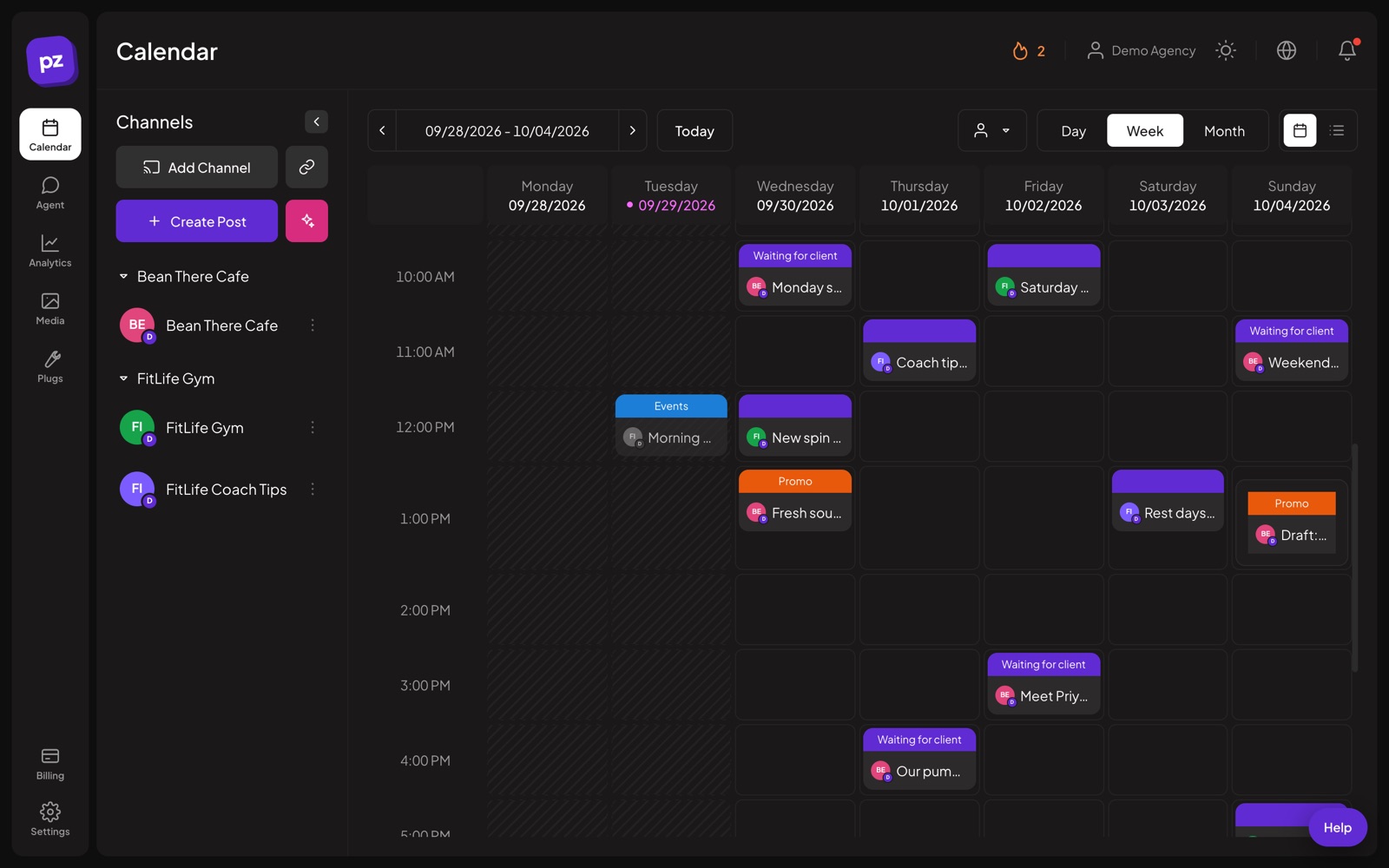
The calendar shows every Page's posts in 1 place. Filter it by customer to check 1 branch, or drag a post to a new day and every Page in it moves together. This works the same for Instagram accounts, LinkedIn Pages and Google Business Profile locations, so a multi-location brand can plan everything from 1 screen.
Related guides
Social media approval workflow
Set up a social media approval workflow for clients or managers: roles, review links, what happens when nobody answers, and a 5 step approval process.
Read moreWhite label social media management
White label social media management on Pro and Ultimate: your agency name, logo and colour on client review pages, the client app and emails, plus a custom domain.
Read moreSchedule Instagram posts from PC
How to schedule Instagram posts, carousels, Reels and Stories from a PC or laptop in your browser, in 5 steps, plus the rules to check first.
Read moreQuestions
Can I post to multiple Facebook Pages at once?
Yes. Connect each Page as a channel, pick them all in 1 post, and schedule it. It goes out to every Page at the set time.
How do I share a post to multiple Facebook Pages?
Write it once in Postozo and pick every Page. You can still change the text for any 1 Page.
Is there a way to post to multiple Facebook groups at once?
Not with an app. Facebook only lets apps post to Pages, not groups. You can post to many Pages at once.
Can you add multiple files to a Facebook post?
Yes. Up to 10 photos, or 1 video, per post.
Do I have to sign in to Facebook for each Page?
No. Sign in once and turn on every Page you manage. You can add more later.
Does each Page count as a channel?
Yes. 1 Page is 1 channel. Standard includes 5 channels and Ultimate includes 100.
Can each Page owner approve their posts?
Yes. Put the Page under a customer and turn on approval for it.
Start planning your posts today
Create your account and publish your first post in 5 minutes.
Create your free account