 Postozo
How to schedule Instagram posts from your PC
Plan Instagram posts, carousels, Reels and Stories from a computer. Postozo runs in your web browser on Windows, Mac or Linux, so you can write, add files from your desktop and schedule without your phone.
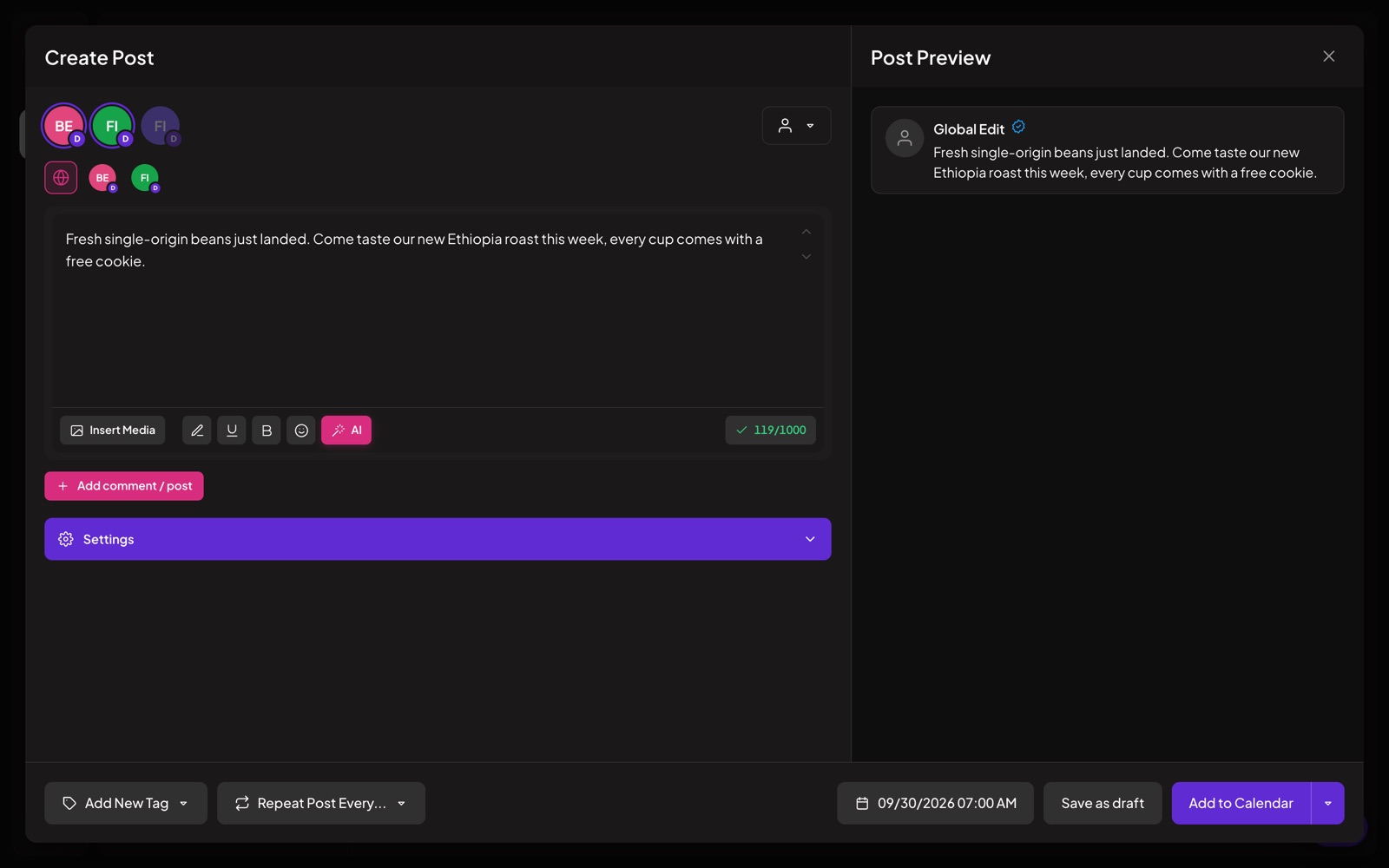
Schedule Instagram posts from PC in 5 steps
Open the app in your browser
Go to app.postozo.com on your PC or Mac. Postozo runs in the browser, so there is nothing to install.
Connect Instagram
Click Add Channel and pick Instagram. Sign in with Facebook if your account is linked to a Facebook Page, or sign in with Instagram if it is not. Both need a Business or Creator account.
Write the post
Add your photos or video from your computer, up to 10 items for a carousel. Write the caption, up to 2,200 characters, and put hashtags in the first comment if you like.
Pick Post, Reel or Story
In the Instagram settings of the post, choose Post, Reel or Story, and add collaborators if you want.
Schedule it
Pick a date and time, or use the next free slot. The post appears on the calendar and goes out on its own.
What you need first
- An Instagram Business or Creator account. Personal accounts cannot be posted to by any app. You can switch in the Instagram app, in a minute, for free.
- A Facebook Page linked to the account, or sign in with Instagram directly if you have no Page.
- Photos as JPEG, with a shape between 4:5 (tall) and 1.91:1 (wide).
- A Postozo account. The 7 day free trial is enough to test it.
Instagram rules Postozo checks before you schedule
Needs at least 1 photo or video. Max 2200 characters, max 30 hashtags. Up to 10 items in a carousel. Photos must be JPEG with a ratio between 4:5 and 1.91:1. Follow-up comments are posted as comments (text only).
If something is wrong, the post editor tells you what to fix before the post is saved. That is better than finding out at 09:00 when the post should have gone out.
Can you schedule Instagram posts on a laptop without an app?
Yes. Meta Business Suite, Meta's own free tool, also runs in a browser and can schedule Instagram and Facebook posts. The difference with Postozo is that 1 post can also go to LinkedIn, TikTok, X, Threads and the other networks you use, from the same calendar, with client approval and a team.
Tips for posting to Instagram from a computer
- Export photos from your editing app as JPEG at 1080 pixels wide. Instagram shrinks bigger files anyway.
- Crop to 4:5 for the feed. It takes more space on a phone screen than a square.
- Write the caption for the phone. Put the main point in the first line, because Instagram cuts long captions.
- Use the free Instagram character counter if you write the caption somewhere else first.
- Plan the week on the calendar so the grid looks balanced.
Common problems and fixes
- "This account cannot be connected." It is a personal account. Switch it to Business or Creator in the Instagram app, then connect again.
- The photo is rejected. It is not JPEG, or its shape is outside 4:5 to 1.91:1. Crop it or export it again as JPEG.
- Too many hashtags. Instagram stops at 30. Move some to a first comment, which counts separately.
- Nothing to post. Instagram needs at least 1 photo or video. Text-only posts are not possible.
Reels and Stories from your PC
Pick Reel for a vertical video in the feed and the Reels tab. Pick Story for a post that disappears after 24 hours. Both are uploaded from your computer the same way as a photo. See the full Instagram scheduler page for every setting, and the best time to post guide for how Postozo finds your best posting hours from your own results.
Related guides
Free social media scheduler
Is there a free social media scheduler? Free plans from 5 tools, the networks' own free schedulers, and the Postozo 7 day free trial compared.
Read moreSocial media calendar template
Download a free social media calendar template as a CSV file. See what each column is for, how to fill a week, and when to move to a scheduler.
Read morePost to multiple Facebook Pages
Post and schedule to multiple Facebook Pages at once: connect every Page in 1 sign-in, write once, change text per Page and publish at the same time.
Read moreQuestions
Can I schedule Instagram posts from my PC?
Yes. Open Postozo in your browser, connect Instagram, add your photos or video, write the caption and pick a time.
Can I schedule Instagram posts from my computer for free?
Meta Business Suite does it for free for Instagram and Facebook. Postozo has a 7 day free trial, then paid plans.
Can I schedule Reels and Stories from a computer?
Yes. Pick Post, Reel or Story in the Instagram settings of the post.
Do I need a Business account?
Yes. Instagram lets apps post only to Business or Creator accounts. Switching is free.
Do I need a Facebook Page?
No. You can sign in with Instagram directly. If your account is linked to a Page, you can sign in with Facebook instead.
How many photos can a carousel have?
Up to 10.
Start planning your posts today
Create your account and publish your first post in 5 minutes.
Create your free account