 Postozo
Free social media calendar template
A simple social media calendar template you can open in Google Sheets or Excel. It has 13 columns, 4 sample rows and no sign up.
Download the social media calendar template
This social media content calendar template is 1 CSV file. CSV opens in Google Sheets, Excel, Numbers and LibreOffice. Each row is 1 post on 1 channel. Download the template (CSV).
The 4 sample rows are for a made-up bakery. Delete them when you start. They are there to show how each column is used.
What each column is for
| Column | What to write |
|---|---|
| Date and Time | When the post should go out, in your own time zone. Use the date format your sheet understands. |
| Channel | The network and account, for example "Instagram" or "LinkedIn Page". 1 channel per row. |
| Client or brand | Useful for agencies. Filter by it to see 1 client at a time. |
| Post type | Photo, carousel, video, Reel, Story, text, offer or event. |
| Topic | A short label, like "New bread". Rows with the same topic are 1 idea spread over channels. |
| Post text | The caption or post. Keep the version for each channel on its own row. |
| Image or video | The file name or a link to the file. |
| Link, Hashtags, First comment | Anything that goes with the post. Many people put hashtags and links in the first comment. |
| Status | Idea, Draft, Waiting for approval, Scheduled or Published. |
| Approved by | Who said yes, so there is no doubt later. |
How to fill a week in 30 minutes
- Pick your posting days and times first, for example Monday, Wednesday and Friday at 09:00. Fill the Date and Time columns before you write anything.
- Write 1 topic per slot. A simple mix is 1 useful tip, 1 post about your product or service, and 1 post about people or behind the scenes.
- Copy each topic row for every channel it should go to, then change the text for each network. X and Bluesky need short text. LinkedIn and Facebook have room for more.
- Check the length with the free character counter, add the files, and set Status to Draft.
- Send the sheet to whoever approves, then change Status to Scheduled once you have put the posts into a scheduler or the network's own app.
Weekly social media content calendar example
| Day | Topic | Channels |
|---|---|---|
| Monday | Tip: how to keep bread fresh | Facebook, Instagram |
| Wednesday | Offer: weekday discount | Google Business Profile, Facebook |
| Friday | Behind the scenes: 5 am bake | Instagram Reel, TikTok |
| Saturday | Customer question of the week | Instagram Story, Threads |
When a spreadsheet stops working
A social media calendar template in a spreadsheet is fine for 1 person and a few channels. It gets hard when:
- You copy text from the sheet into 5 apps every day.
- A client approves in email, and the sheet does not show it.
- You forget to post because nobody reminds you.
- A network rejects the post at the last minute because a picture has the wrong shape.
- You manage more than 1 brand and the sheet has 300 rows.
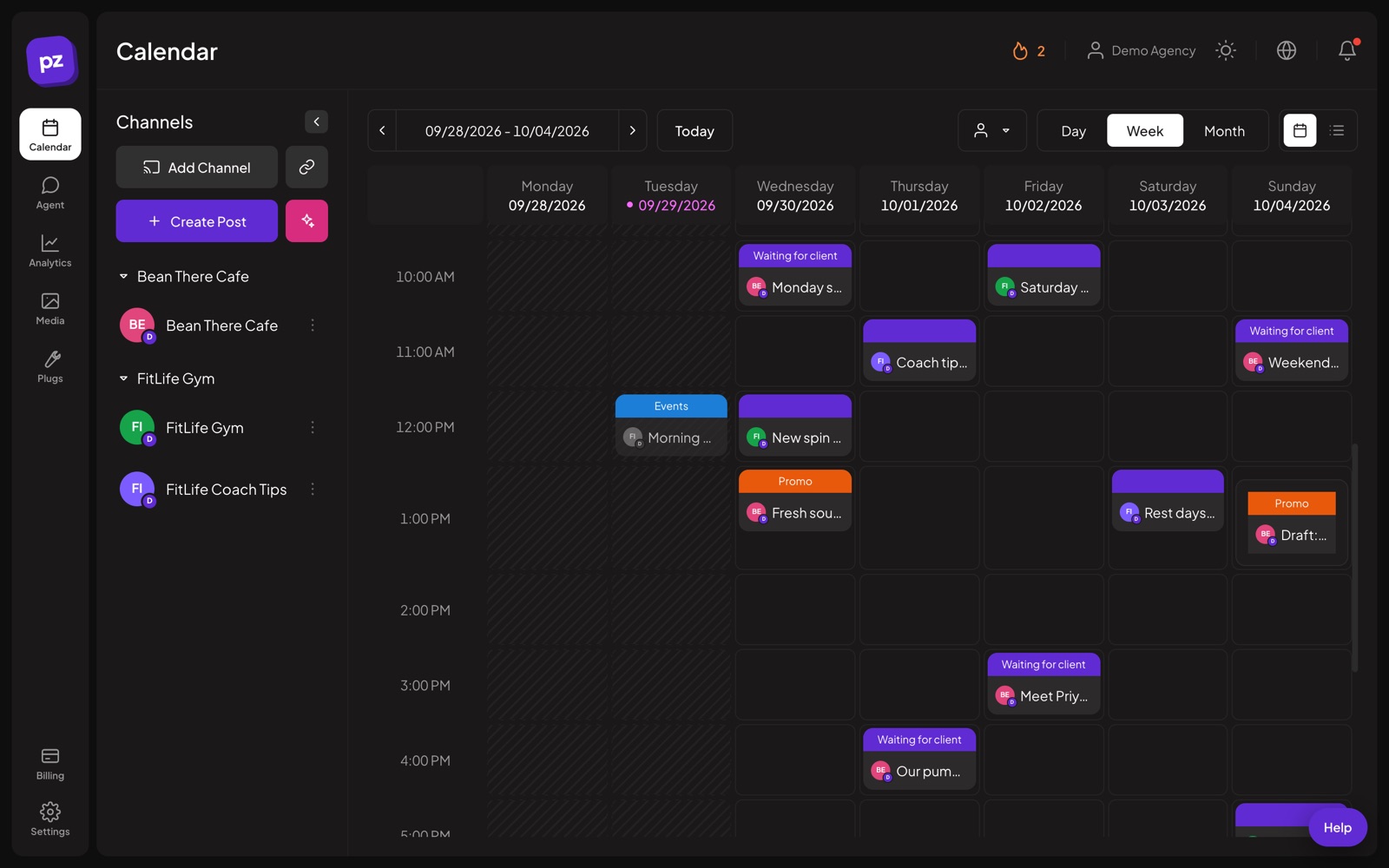
At that point a scheduler does the same job with fewer steps. In Postozo, the social media calendar has the same columns built in: channel, customer, status, first comment and approval. Posts go out on their own at the set time. The post editor checks each network's rules before saving, and clients approve from a review link. See how teams set up an approval workflow.
Move the template into Postozo
Postozo has no CSV import today, so you move posts by hand or with the public API. For most people, the fastest way is to set posting times for each channel, then paste each topic once into the post editor and pick all its channels. The editor gives each channel its own tab for its own text. The AI assistant can fit 1 text to each network if you want help.
Related guides
Free social media scheduler
Is there a free social media scheduler? Free plans from 5 tools, the networks' own free schedulers, and the Postozo 7 day free trial compared.
Read moreSocial media approval workflow
Set up a social media approval workflow for clients or managers: roles, review links, what happens when nobody answers, and a 5 step approval process.
Read moreBest time to post on LinkedIn
There is no single best time to post on LinkedIn. Here is a 4 week test to find yours, and how Postozo picks your best hours from your own results.
Read moreQuestions
Is this social media calendar template free?
Yes. Download the CSV and use it as you like. You do not need a Postozo account.
Does it work in Google Sheets and Excel?
Yes. CSV opens in Google Sheets (File, Import), Excel, Numbers and LibreOffice.
How do I make a social media calendar template?
Pick your channels and posting times, then make 1 row per post with the date, channel, text, media and status. Or download ours and delete the sample rows.
How do I make a social media calendar in Excel?
Open the CSV in Excel and save it as an Excel file. Turn on filters for the Channel, Client and Status columns, so you can see 1 channel, 1 client or all drafts at a time.
What should a social media content calendar include?
At least the date, time, channel, post text, media, status and who approved it. Agencies should add a client column.
Can I import this CSV into Postozo?
Not today. Postozo has no CSV import. You can paste posts into the post editor, or create them in bulk with the public API or the MCP server.
How far ahead should I plan?
Most small teams plan 1 to 2 weeks ahead and leave room for news. Plan big launches and holidays a month ahead.
Start planning your posts today
Create your account and publish your first post in 5 minutes.
Create your free account